
Sign in
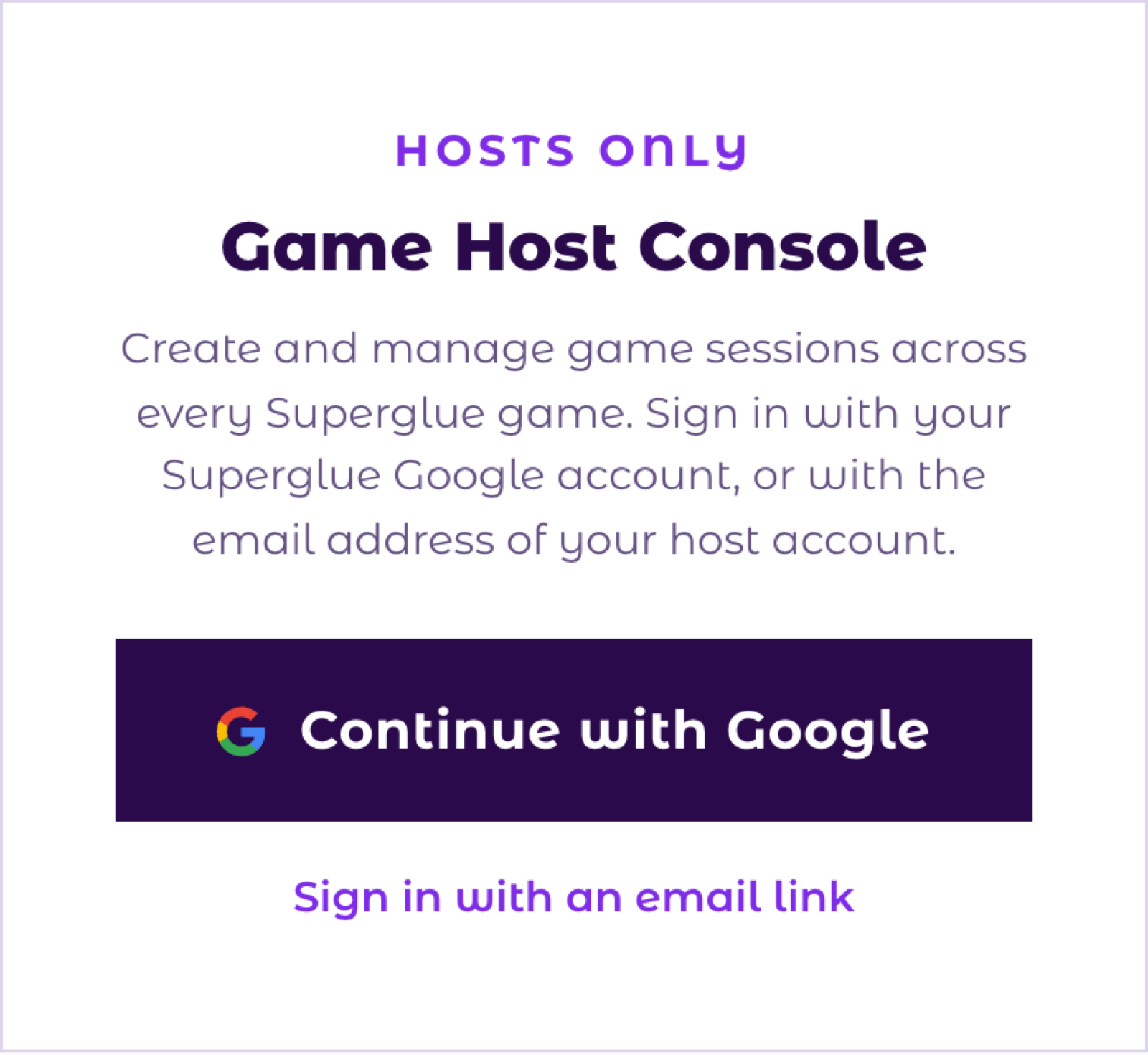
- Go to playsuperglue.com/host.
- Sign in with the email address that we invited. If that address is a Google account, click Continue with Google. If not, click Sign in with an email link and open the link that we send to you.
- The console opens. It shows your email address and your company name at the top.
How rooms work
Each game link opens one room: one team of up to 10 players. Your partner account lets you run a fixed number of rooms at the same time, and the console shows how many are in use. You can make as many sessions as you like, as long as you stay inside that number at any one time.
- A room counts as in use for 3 hours after you make its link. After that it is free again, even if the team is still playing.
- A link is valid for 1 day. Make the link on the day of the event, not before.
- For a group of more than 10 people, make one link per team.
Make a game link
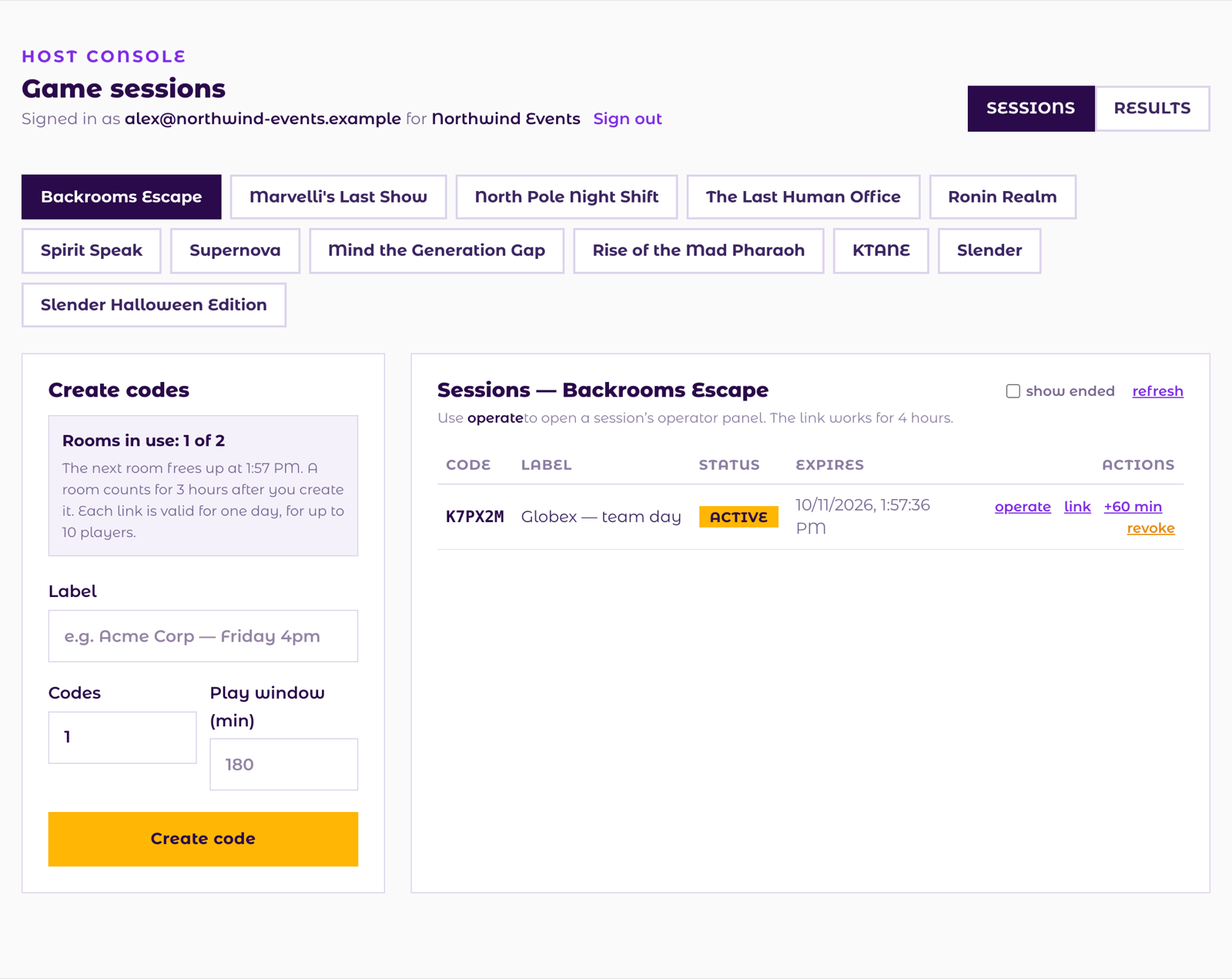
- Click the tab of the game that you want to play.
- In Label, enter the client and the time, for example Acme Corp, Friday 4pm. Only you see the label. It helps you find the session later.
- In Codes, enter the number of teams. Each team gets its own link.
- Leave Play window empty to use the game's normal length. Enter a number of minutes only if you want a different length.
- Click Create code. The new code shows under Created.
- Click copy link and send the link to the team. Players open it in a browser. They do not need an account or a download.
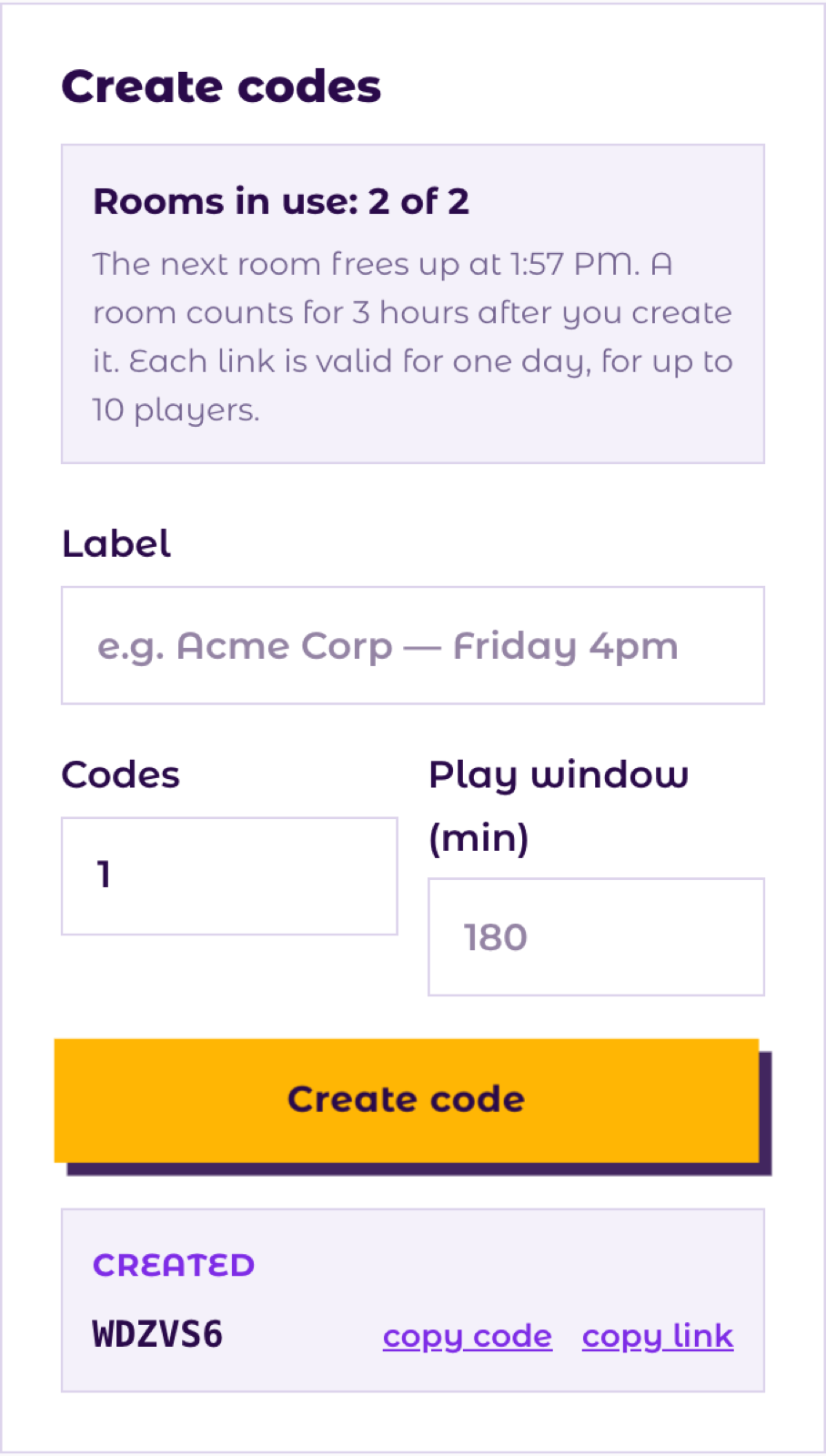
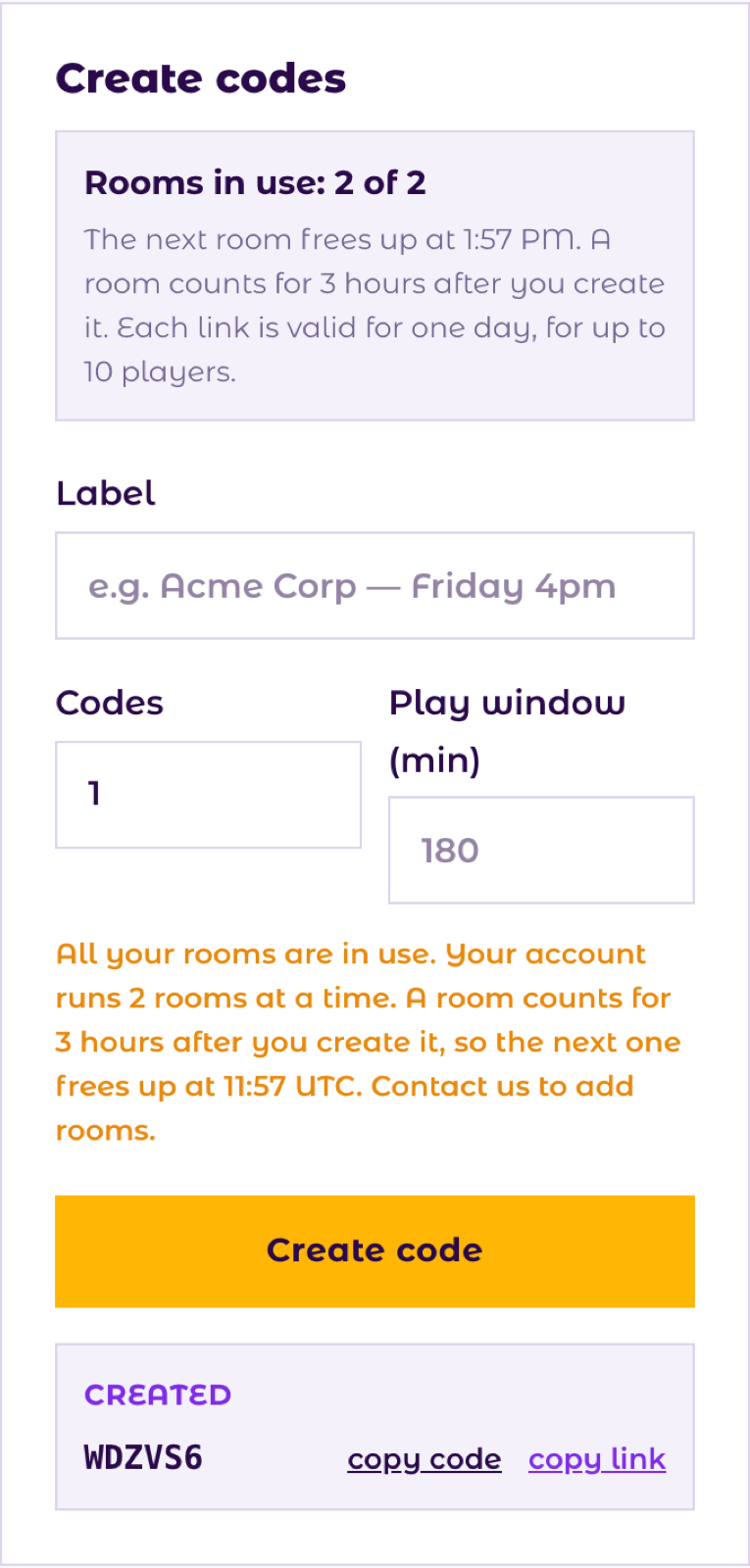
When all your rooms are in use, the console does not make a new link. It tells you when the next room is free. Wait until then, or contact us to add rooms.
Manage sessions
The list on the right shows the sessions of the selected game. Tick show ended to see old sessions too. Click refresh to update the list.
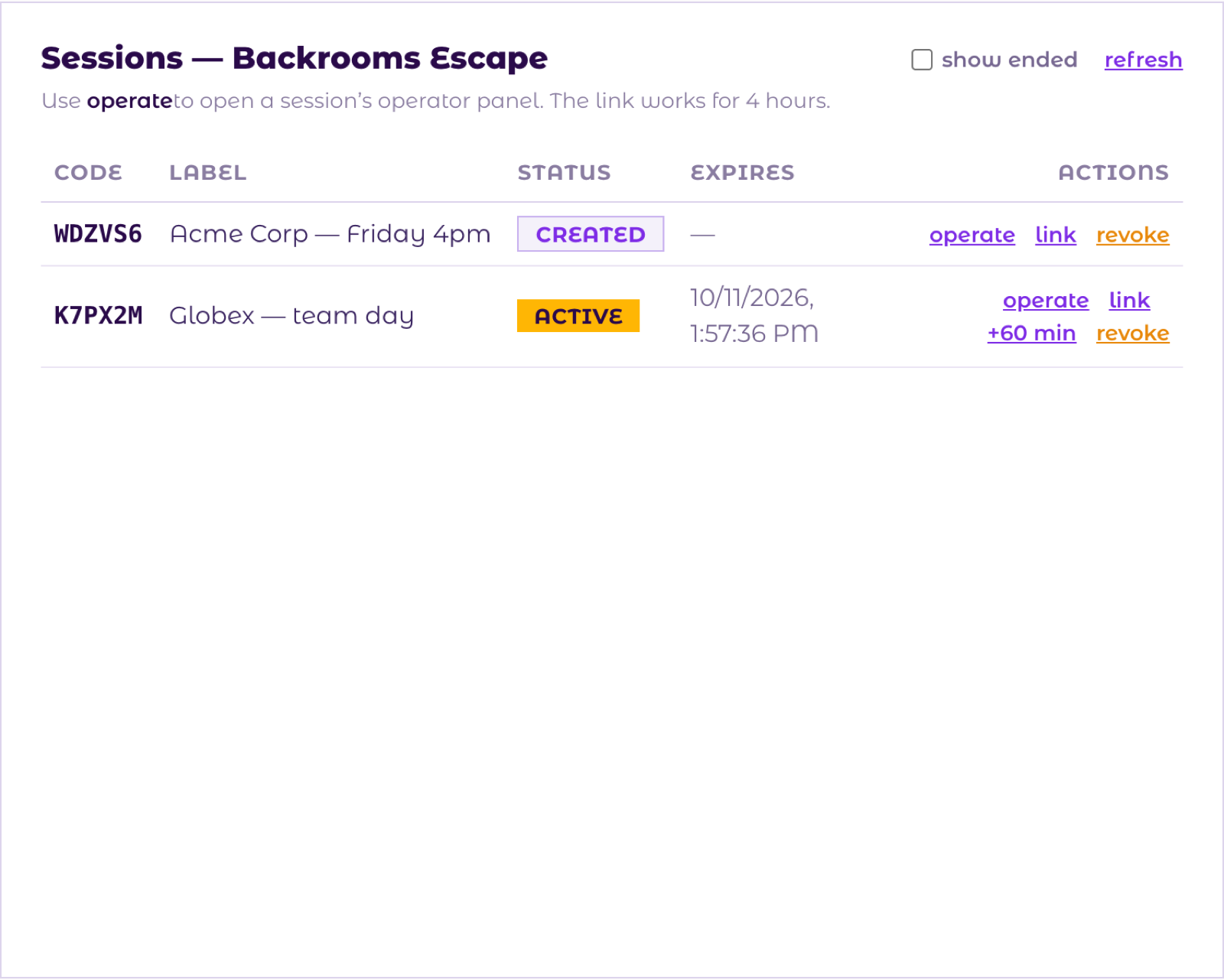
The link is ready. Nobody has joined yet.
The team is playing. The game clock runs.
The game is over, or the link expired.
- operate
- Opens the operator panel for this session. See Operate a game.
- link
- Copies the player link again.
- +60 min
- Gives a playing team one more hour. It shows only while the session is active, and not for KTANE.
- revoke
- Stops the link. Players can no longer join. Use it if you sent a link to the wrong people.
Operate a game
The operator panel lets you follow a team and help it during the game. It is available on these escape rooms: Backrooms Escape, Marvelli's Last Show, North Pole Night Shift, Boxing Day Never Comes, The Last Human Office, Ronin Realm, Spirit Speak, Supernova, Mind the Generation Gap, Rise of the Mad Pharaoh.
- In the sessions list, click operate next to the session.
- The panel opens in a new browser tab. If nothing opens, allow pop-ups for playsuperglue.com and click operate again.
- The panel works for 4 hours and only for this session. After 4 hours, click operate again for a new link.
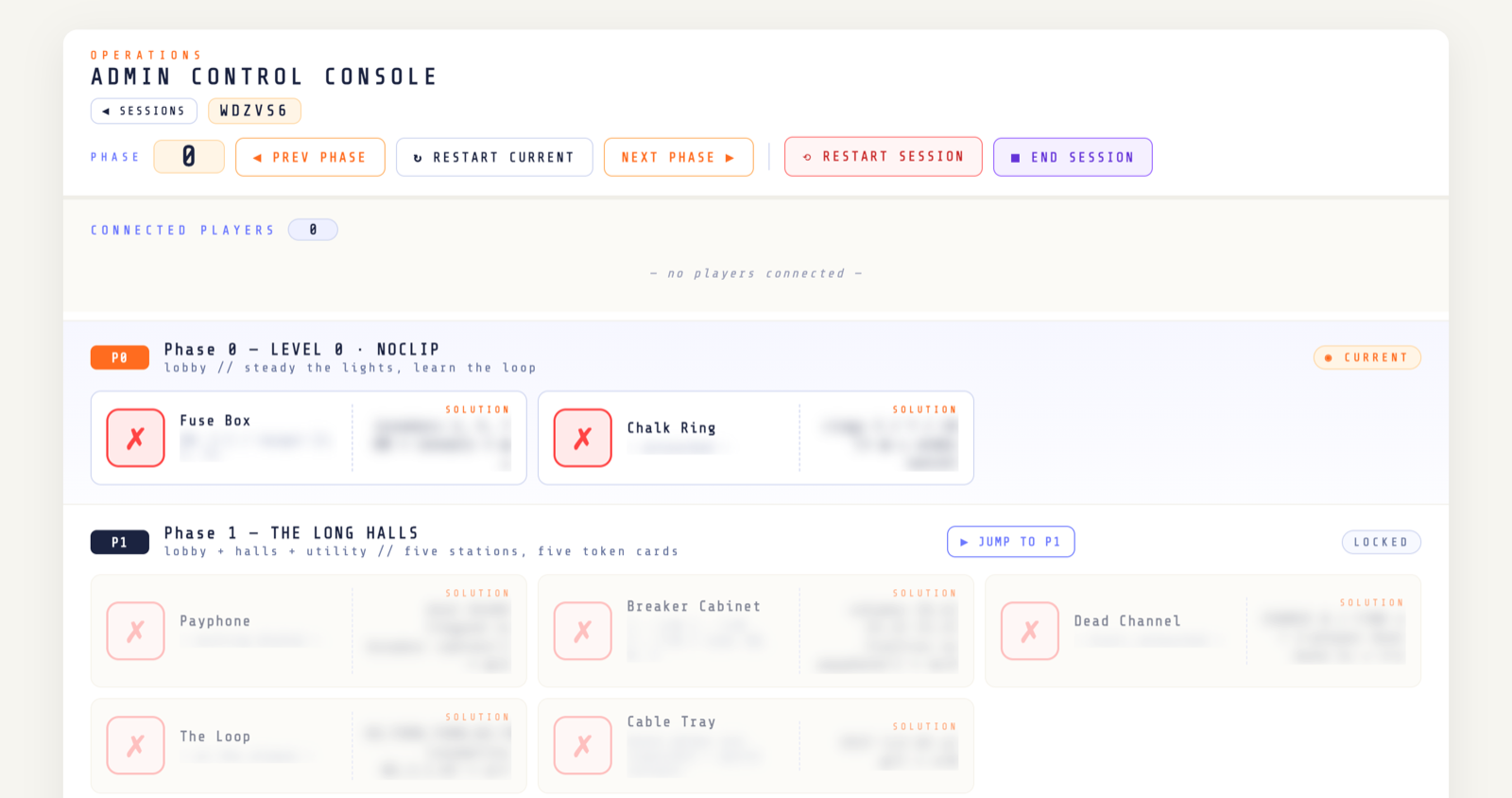
- Connected players
- Shows who is in the game. Kick removes a player who joined by mistake.
- Puzzles
- Each puzzle shows its progress and its solution. Click the box next to a puzzle to mark it as solved for a team that is stuck.
- Phases
- Next phase, Prev phase and Jump to move the team through the game. Restart current resets the current phase.
- Restart session
- Starts the whole game again from the beginning.
- End session
- Ends the game for everyone.
The panel shows every solution. Do not share your screen while the panel is open. Players see your changes at once.
KTANE, Slender and Slender Halloween Edition have no operator panel. You can still make and manage their links.
Results
Click Results at the top right to see the escape room results of your teams: outcome, time, hints and players.
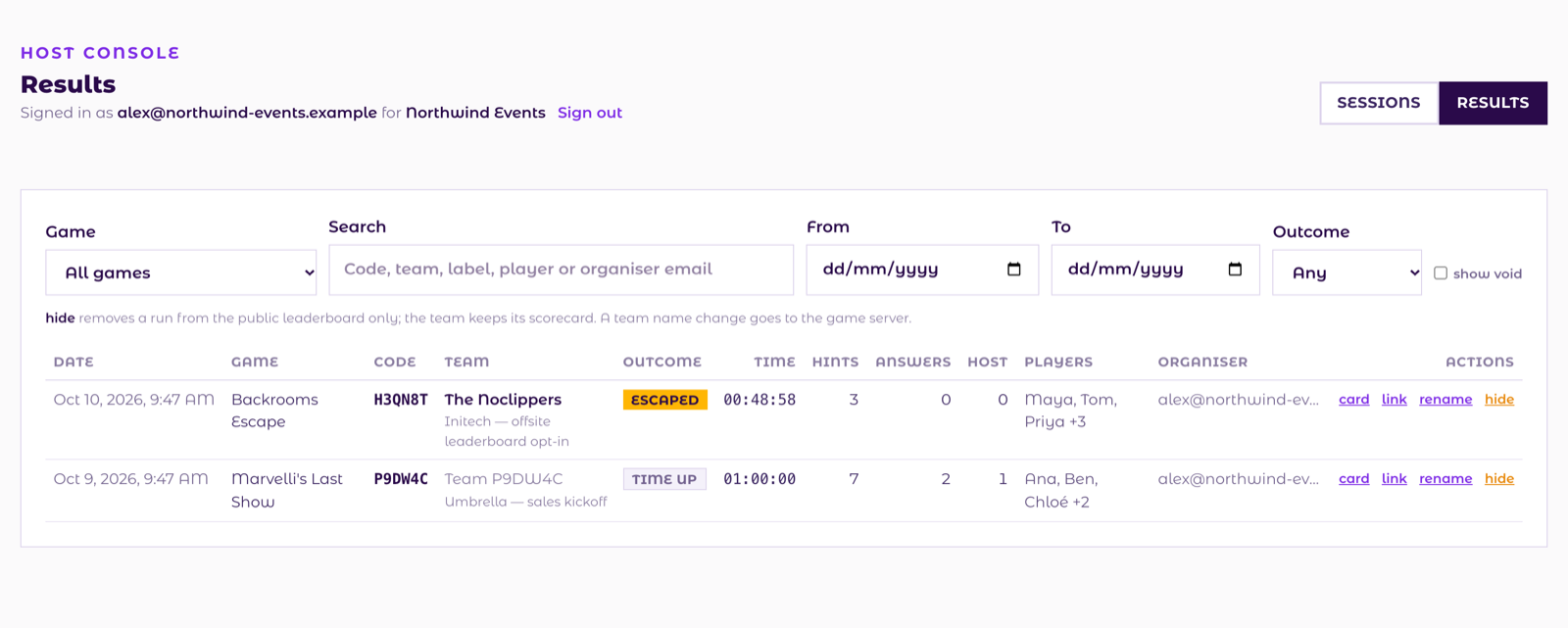
- Search
- Find a result by code, team name, label, player or date.
- card
- Opens the team's scorecard.
- link
- Copies the scorecard link, so you can send it to your client.
- rename
- Corrects the team name.
- hide
- Removes the result from the public leaderboard. The team keeps its scorecard.
Good to know
- You see only the sessions and results of your own company.
- Each player needs their own screen with a modern browser. Teams talk on a video call (Zoom, Teams, Meet) while they play.
- When your partner account or trial ends, the console shows a notice and you can no longer make links.
- Questions, more rooms or a longer trial: email contact@superglue.games.
Not a partner yet? Read about reselling Superglue games and request a demo.